Transactions
Bring your sales, purchases and journals into Sage 50 from Excel.

 POSTTRANS FOR SAGE 50
Import transactions, update records and keep control of your data.
Work in the spreadsheet you know, connected to Sage 50.
Microsoft Excel on Windows · Try with Sage 50 demonstration data
A FAMILIAR WORKFLOW
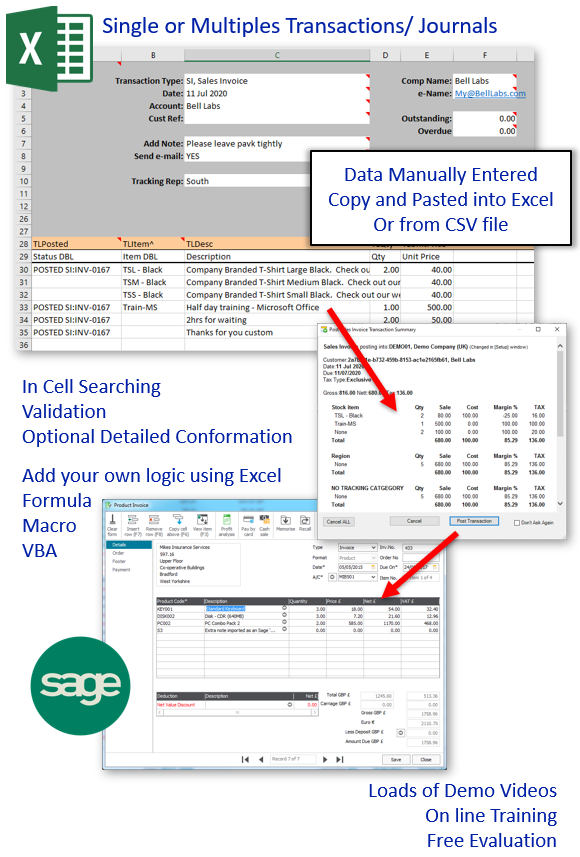
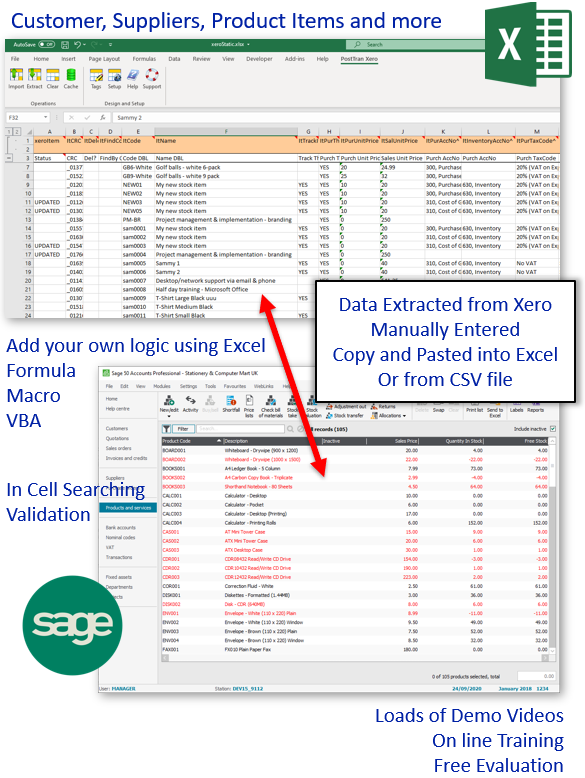
Enter data manually, copy and paste it or import a CSV file. Use Excel formulas, data queries, macros or VBA to prepare it for Sage 50.
Import from a CSV file ↗Post your prepared records from your spreadsheet and reuse your templates for the next import. The PRO version also supports posting to multiple companies.
SEE IT IN ACTION
See how an Excel order pad works with PostTrans to take an order and post it into Sage 50.
Read the full order pad guide ↗Start with an example workbook, follow the training or find answers to common questions.
Example workbooks ↗Sage 50 training ↗Frequently asked questions ↗Evaluate PostTrans with Sage 50 demonstration data for free, without a time limit. Choose a monthly subscription for live use.
Download and install ↗Compare Sage 50 plans ↗Build an order pad, bring in web orders or streamline purchase order approvals using your Excel templates.
Import web cart orders ↗Purchase order authorisation ↗Work with multiple companies ↗Need unattended imports? The separate PostTrans XML API brings customer and transaction data into Sage 50 from XML files.
Explore the XML API for Sage 50 ↗
CUSTOMER EXPERIENCES
How businesses use PostTrans.
Experiences from customers using PostTrans across its accounting integrations.
Alex - Krome Ltd
Toni - Tri Star Packaging
Ben - AMA Waste Management
Laurence - Caterpillar Pensions
John - PHL Manufacturing
Tim - Salvesens